A practical guide to integrating M-Pesa payments into web applications, from STK push to callback handling.
If you're building a web application for the Kenyan market, you'll almost certainly need to accept M-Pesa. Here are the patterns that matter most in production.
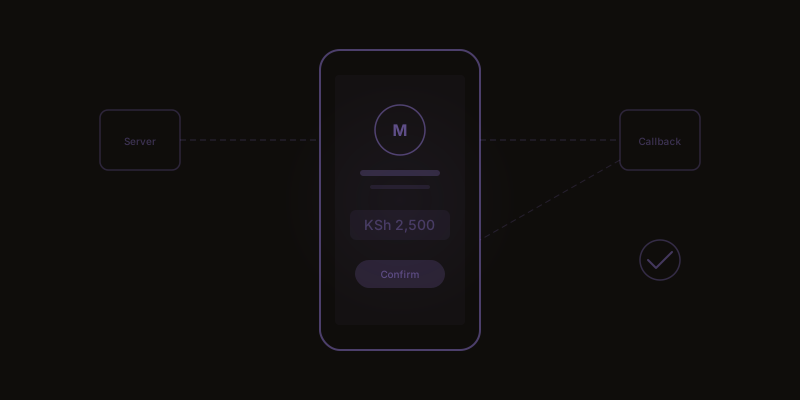
The most common integration pattern is STK Push — also called Lipa Na M-Pesa Online. You initiate a payment request from your server, Safaricom sends a push notification to the customer's phone, they enter their PIN, and Safaricom sends a callback to your server with the result. Simple in concept, nuanced in practice.
First, the callback. Safaricom will send the payment result to a URL you specify. This URL must be publicly accessible, respond within a reasonable timeout, and handle both successful and failed transactions. Callbacks can arrive anywhere from a few seconds to a couple of minutes after the customer confirms. Your application needs to handle this latency gracefully.
A reliable pattern: initiate the STK push, immediately show the user a waiting state with a clear message, and poll your own backend for the result. Don't poll the Safaricom API — process the callback on your server and let your frontend check your own database. This decouples the user experience from Safaricom's response time.
Error handling is where most integrations fall apart. The customer might dismiss the STK prompt, enter the wrong PIN, have insufficient funds, or lose connectivity mid-transaction. Each of these produces a different callback status code. Map every code to a clear user-facing message and a recovery path.
For timeout handling, a 90-second client-side timeout is a sensible default. If no callback has arrived, show the user a message explaining that the payment may still be processing and provide a way to check the status later. Never assume a timed-out transaction failed — it may still succeed, and double-charging a customer is worse than a delayed confirmation.
Security considerations: never store M-Pesa credentials in your frontend code. The consumer key, consumer secret and passkey should live in environment variables on your server. Use HTTPS for all callback URLs. Validate that callbacks actually came from Safaricom by checking the source IP range and the transaction structure.
For testing, Safaricom provides a sandbox environment. Use it, but know its limitations — sandbox behaviour doesn't perfectly mirror production, particularly around timing and error scenarios. Budget time for production testing with small transactions.
One pattern worth adopting in every M-Pesa integration is a transaction ledger — a separate database table that logs every payment attempt, every callback received, and every status transition. This makes debugging production issues straightforward and gives your finance team an audit trail they can actually use.
Related services
Tell us about your project. We'll show you what's possible.